


Email marketing is the most cost-effective marketing tool for businesses, but tools like Mailchimp can feel like a money pit as your subscriber list grows. One day, you're paying peanuts, and the next, you're hit with a bill that makes you question whether those extra subscribers are even worth it. Sound familiar?
What if I told you there’s a way to self-host your email marketing without paying monthly bills? You can cut your email marketing costs by 90% while gaining full ownership over your campaigns, data, and deliverability. Intrigued? You should be! Self-hosting your emails might be the solution you’ve been looking for.
In this article, I will explain why so many people are ditching Mailchimp, what self-hosting means and how you can self-host your email marketing step-by-step.
Why People Are Ditching Mailchimp
Mailchimp aren’t cheap. Sure, it starts friendly enough, with a free plan for small lists, but as soon as your subscriber count grows or you want to use advanced features, things get pricey. Fast. And trust me, you’re not alone if you’ve found yourself staring at that monthly bill thinking, Wait… I’m paying HOW much just to send emails?
- The Monthly Bill Keeps Creeping Up
Mailchimp’s pricing model is based on tiers, and those tiers are tied directly to how many subscribers you have. Add a few hundred more people to your list, and boom, you’ve levelled up to a higher and expensive plan. As a small business or solo entrepreneur, this can feel like a slap in the face. You’re trying to grow, but your email marketing tool is eating into your budget instead of helping it thrive.
- Paying for Features You Don’t Use
Don’t get me wrong, Mailchimp is stacked with great features like customer journeys, postcards, predictive insights, and even a basic website builder. But why pay for the extras if you only want to send newsletters and follow-up emails? It’s like buying a Swiss Army knife when you only need a bottle opener.
- Limited Control Over Your Own List
But cost isn’t the only issue. Another big gripe people have with Mailchimp and tools like it is the lack of control. When you rely on a third-party service, you’re putting all your eggs in their basket. They manage your data, handle deliverability, and dictate the rules. Sure, you can export your data, but Mailchimp still controls how and when you email your audience. They can lock your account, flag your content, or limit sending if something trips their filters.
- Account Suspensions Out of Nowhere
Nothing makes your stomach drop faster than an email saying, “Your account has been flagged for review.” It happens. Mailchimp and similar tools use automated systems to flag what they see as “spammy behaviour.” Even if you’re clean, one bad subject line or imported list can trigger an account freeze. Some users lost access mid-campaign. Imagine preparing for a Black Friday sale, and Mailchimp ghosts you.
So yeah, when you add it all up, the rising costs, limited control, and account suspension, it’s no wonder people are starting to look elsewhere. The question is, what’s the alternative?
What Does it Mean to Self-Host Your Email?
When people hear “self-hosted email marketing,” some imagine setting up a server in their basement or learning to code in the middle of the night.
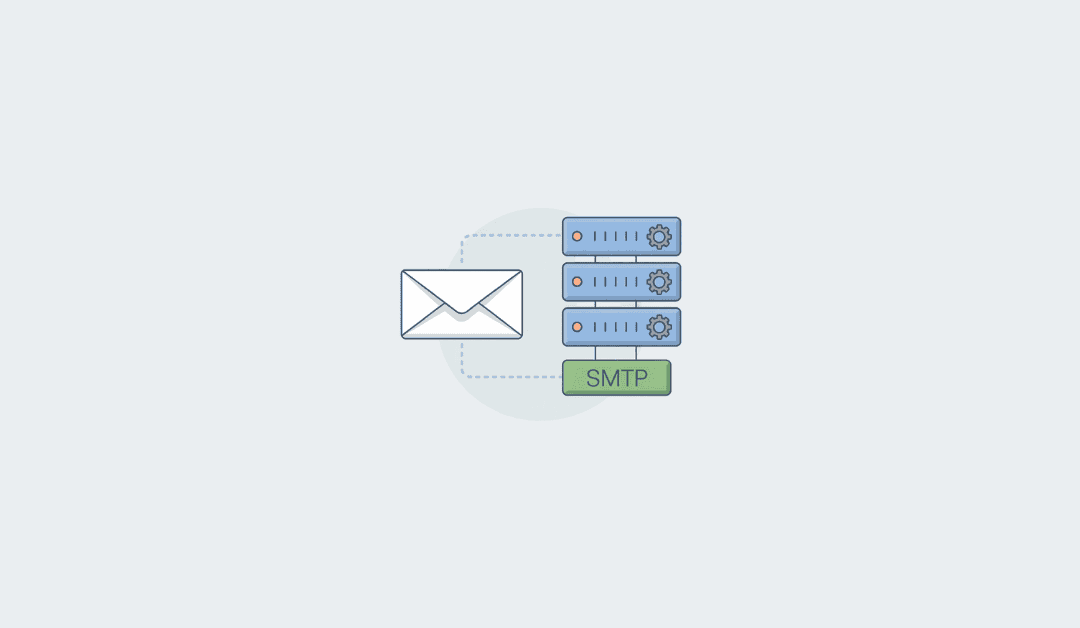
Self-hosting your emails just means running your email marketing software on your own web hosting, the same way you'd host a WordPress blog. If you’ve ever installed WordPress, uploaded a plugin, or set up a website with cPanel, you can self-host your emails.
- No More Middleman
When you self-host, you’re cutting out the middleman. Instead of sending emails through Mailchimp’s servers, you set up your own email server or use an email marketing tool to send emails directly from your domain. This gives you complete ownership over your campaigns and data. No more worrying about someone controlling your email infrastructure or charging you to send emails.
- Your Domain, Your Rules
One of the coolest parts of self-hosting is that everything runs under your domain. That means your emails come from [email protected] instead of something generic. Not only does this look way more professional, but it also builds trust with your audience. People are more likely to open and engage with emails that feel personal and authentic.
- Full Control Over Data
Privacy matters, right? Especially these days, when customers are more cautious than ever about how their information is handled. When you self-host, you decide where your data is stored, who has access to it, and how it’s protected.
- Cost Efficiency
With self-hosting, you only have some upfront expenses like setting up your server or buying software, but once it’s running, your ongoing costs are usually way lower. You can save hundreds or even thousands of dollars per year.
Best Self-Hosted Email Marketing Tools (Free & Paid)
Email marketing remains one of the most effective ways to connect with your audience, nurture leads, and drive conversions. However, as businesses increasingly prioritise data privacy, customisation, and cost efficiency, self-hosted email marketing tools have gained significant traction. These platforms empower you to take full control of your campaigns, data, and infrastructure.
We explore some of the best self-hosted email marketing tools, both free and paid, that combine power, flexibility, and performance to help you achieve your marketing goals without compromise.
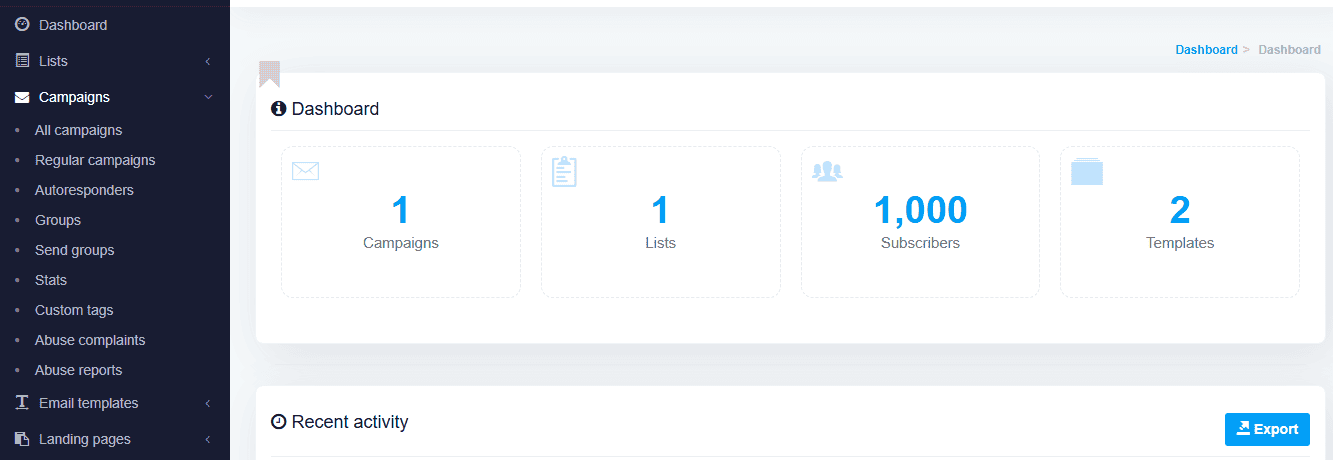
MailWizz is a one-time payment, self-hosted email marketing software designed for marketers who demand flexibility, scalability, and performance. With MailWizz, you can create, automate, and optimise your email campaigns.
With its robust infrastructure, intuitive interface, and impressive customisation options, it's an all-in-one toolkit for building stronger relationships with your audience and driving measurable results.
MailWizz Core Features
- Self-Hosted Freedom
Unlike many SaaS-based platforms, MailWizz is fully self-hosted, giving you complete control over your data, security, and server resources. Host it on your own server or choose from trusted hosting providers; your data stays yours.
- Advanced Campaign Management
From simple newsletters to complex automated workflows, MailWizz lets you design and manage campaigns tailored to your goals. Use drag-and-drop editors, HTML templates, or custom code to craft stunning emails that resonate with your audience.
- List Segmentation & Personalisation
Boost engagement by segmenting your subscriber lists based on behaviour, preferences, demographics, or purchase history. With dynamic tags and personalisation tokens, you can send hyper-targeted messages that feel tailor-made for each recipient.
- Comprehensive Reporting & Analytics
Track opens, clicks, bounces, unsubscribes, and more with real-time analytics. Gain actionable insights into campaign performance, so you can refine your strategy and maximise ROI.
- Automation Made Simple
Set up autoresponders, drip campaigns, and transactional emails effortlessly. Automate repetitive tasks like welcome emails, abandoned cart reminders, and post-purchase follow-ups to nurture leads and retain customers.
- Flexible Integration Options
Seamlessly integrate MailWizz with popular third-party services such as payment gateways, CRMs, e-commerce platforms, and webhooks. Its API-first architecture ensures compatibility with virtually any system.
- Built-In Bounce Handling & Spam Compliance
Ensure high deliverability rates with built-in bounce handling, spam score checks, and compliance features. MailWizz helps you stay out of the spam folder and maintain a positive sender reputation.
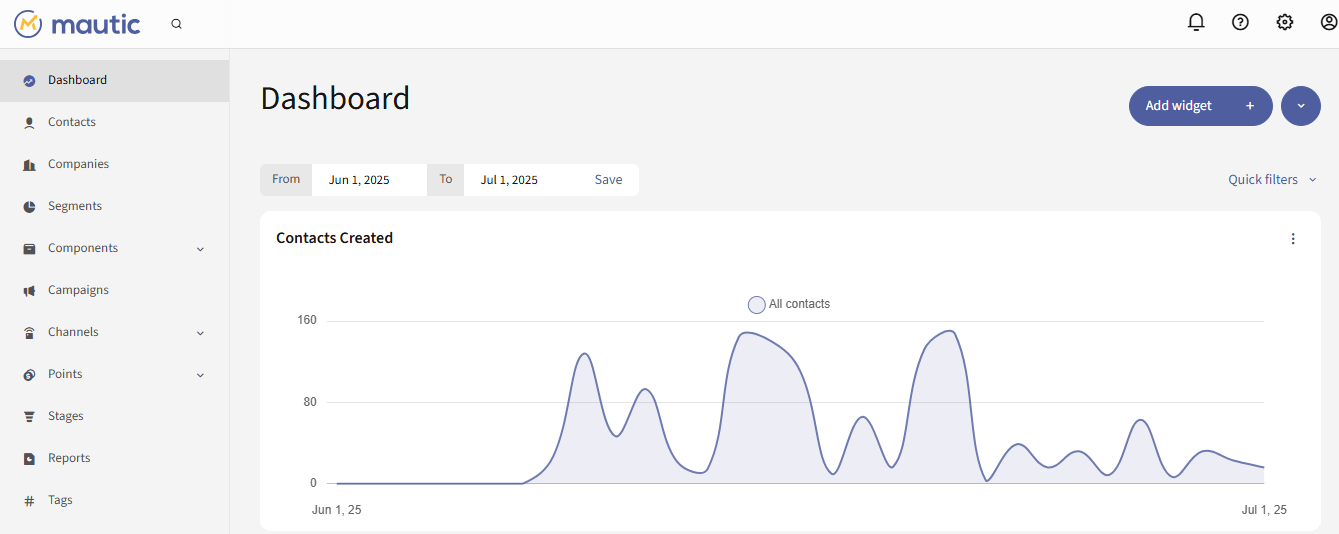
Mautic is the leading open-source marketing automation platform. Mautic allow you to take full control of your customer journeys for free. Whether you’re a startup looking to nurture leads or an enterprise aiming to streamline complex workflows, Mautic offers a flexible, scalable solution that adapts to your needs.
Built on the principles of transparency, customisation, and accessibility, with its robust feature set, intuitive design, and active community support, Mautic proves that powerful marketing tools don’t have to come with hefty price tags or restrictive licenses.
Mautic Core Features
- Open-Source Flexibility
Mautic is 100% open-source, meaning you can access, modify, and extend its codebase to suit your specific requirements.
- All-in-One Marketing Hub
From email campaigns and social media integration to landing pages and CRM functionality, Mautic consolidates all your marketing efforts into a single, cohesive platform.
- Advanced Lead Nurturing & Scoring
Mautic allows you to automatically track prospect behaviour, assign scores based on engagement, and nurture leads through personalised content. You can also build automated workflows that guide prospects seamlessly through the sales funnel.
- Multi-Channel Campaigns
Mautic goes beyond email campaigns alone; it's a multi-channel platform including SMS, social media, and web notifications. It delivers consistent messaging wherever your audience interacts with your brand.
- Dynamic Segmentation & Personalisation
Mautic lets you segment contacts dynamically based on real-time data like location, activity, or preferences. You can also use personalisation tokens to create hyper-relevant messages that resonate with each recipient.

Listmonk is an open-source, self-hosted newsletter and mailing list manager designed for simplicity, speed, and scalability. Whether you're an individual blogger, a small business owner, or a large organisation managing thousands of subscribers, Listmonk offers a lightweight yet powerful solution to streamline your email campaigns.
With its minimalist design and developer-friendly architecture, Listmonk focuses on what truly matters: delivering emails efficiently and effectively. It strips away unnecessary bloat, giving you a clean, intuitive platform to manage your lists, create campaigns, and analyse results. If you’re looking for a no-frills, high-performance tool that doesn’t compromise on functionality, Listmonk is a tool for you.
Listmonk Core Features
- Open-Source Freedom
As an open-source platform, Listmonk provides complete transparency and flexibility. You can inspect, modify, and extend its code to suit your specific needs.
- Lightning-Fast Performance
Built with Go (Golang) and PostgreSQL, Listmonk is engineered for speed and reliability. Send thousands, or even millions of emails per hour without breaking a sweat.
- Simple Campaign Creation
With Listmonk, you can craft beautiful emails using Markdown or HTML templates.
- Advanced Segmentation & Targeting
Segment your audience based on attributes like location, activity, or custom fields. Deliver targeted messages that resonate with different groups within your subscriber base.
- Transactional Emails Support
Beyond newsletters, Listmonk also handles transactional emails like order confirmations, password resets, and welcome messages, making it a versatile tool for all your communication needs.
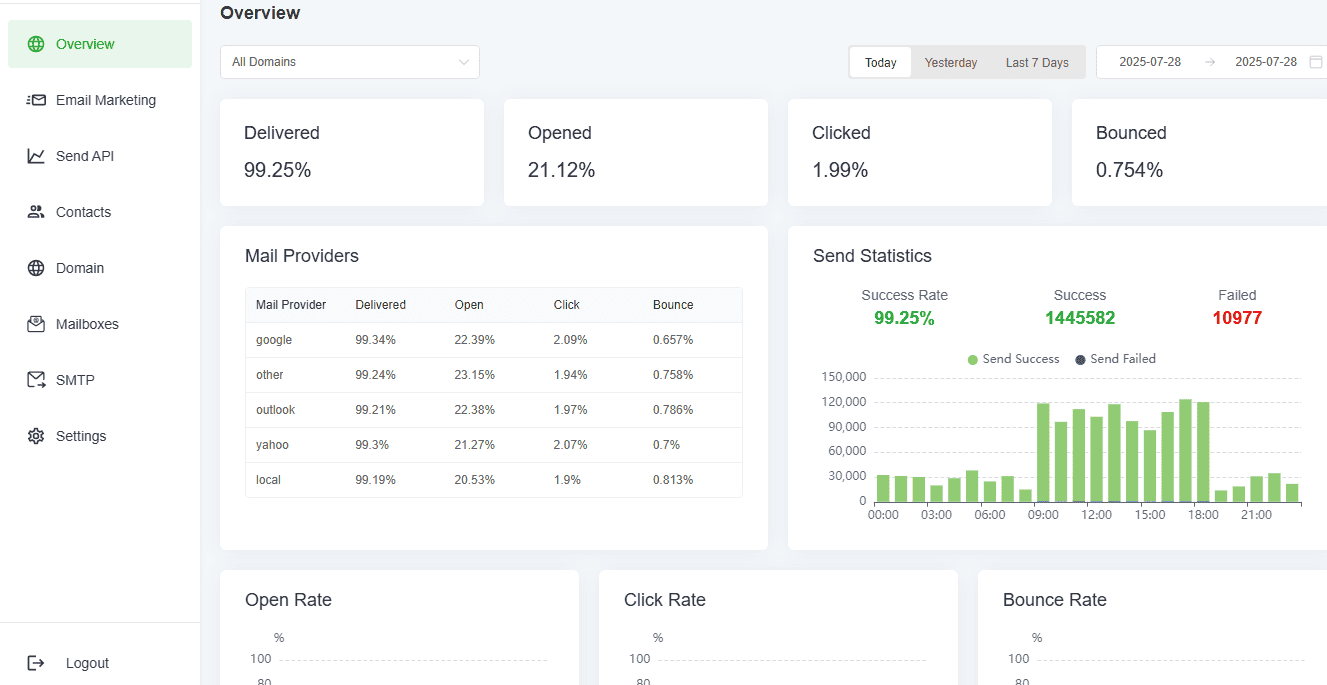
When it comes to sending emails at scale, few platforms can match the sheer power and efficiency of Billionmail. Designed specifically for you to send millions of emails without limitation, Billionmail is a robust, self-hosted email marketing solution that combines speed, reliability, and affordability.
Whether you're managing large-scale newsletters, promotional campaigns, or transactional emails, Billionmail ensures your messages reach inboxes quickly and efficiently.
Unlike many email marketing tools that throttle sending limits, Billionmail is built to handle massive volumes with ease. Its focus on performance, scalability, and cost-effectiveness makes it a favourite among enterprises, agencies, and high-volume senders.
Billionmail Core Features
- High-Volume Email Sending
As the name suggests, Billionmail excels at handling enormous email volumes. Send millions of emails daily with minimal latency, ensuring your campaigns run smoothly even at peak loads.
- Advanced Queue Management
Billionmail’s intelligent queue system prioritises and schedules emails to optimise delivery rates. It automatically adjusts sending speeds based on ISP feedback to avoid blacklisting or throttling.
- Real-Time Delivery Monitoring
Track email delivery in real time with detailed logs and analytics. Get instant insights into opens, clicks, bounces, and unsubscribes to fine-tune your campaigns for maximum impact.
- List Segmentation & Targeting
Divide your subscriber base into targeted segments based on behaviour, preferences, or demographics. Deliver highly relevant content to specific groups to boost engagement and conversions.
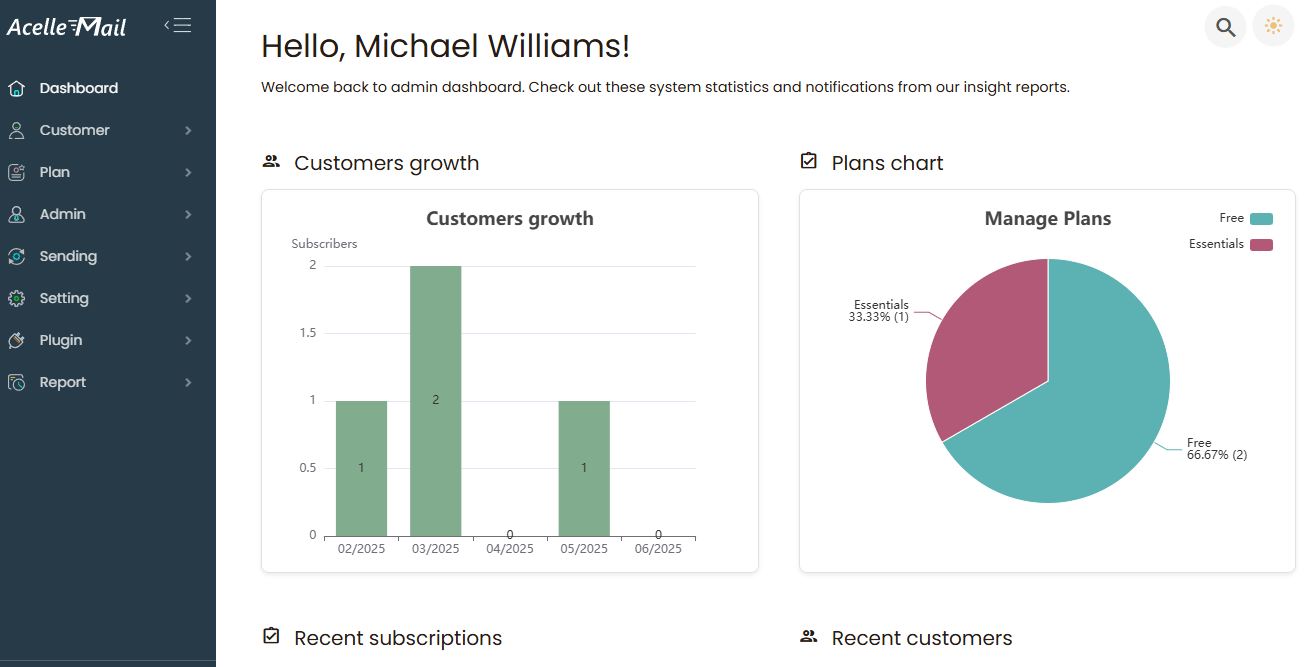
Acelle is a versatile one-time payment powerhouse email marketing software designed to help small businesses, agencies, and developers scale their email campaigns. Acelle lets you get rid of expensive email services like Mailchimp, ActiveCampaign and send unlimited marketing emails without paying a monthly subscription.
With its focus on customisation, security, and performance, Acelle empowers you to take full control of your email marketing efforts. From crafting beautiful newsletters to automating workflows and analysing campaign performance, Acelle help you streamline your processes while ensuring high deliverability rates. It’s not just software, it’s a comprehensive toolkit for building stronger connections with your audience.
Acelle Core Features
- Self-Hosted Security
Host Acelle on your server to maintain total control over your data. This ensures compliance with privacy regulations (like GDPR) and eliminates reliance on third-party providers.
- Advanced Campaign Management
With Acelle, you can create, schedule, and track email campaigns. You can also use drag-and-drop editors, HTML templates, or custom code to design professional-looking emails that captivate your audience.
- Automation & Drip Campaigns
You can automate repetitive tasks, like welcome emails, abandoned cart reminders, and follow-ups with Acelle and set up drip campaigns to nurture leads and guide prospects through the sales funnel.
- Dynamic Segmentation & Personalisation
Segment your audience based on behaviour, preferences, demographics, or purchase history. Use personalisation tokens to send hyper-targeted messages that feel tailor-made for each recipient.
- Multi-Channel Integration
Connect Acelle to popular third-party services like CRMs, e-commerce platforms, payment gateways, and webhooks. Its API-first architecture ensures seamless integration with virtually any system.
- Comprehensive Analytics Dashboard
Acelle lets you monitor key metrics like opens, clicks, bounces, unsubscribes, and conversions in real time. Gain actionable insights into campaign performance to refine your strategy and maximise ROI.
- Built-In Bounce Handling & Spam Compliance
You will enjoy high deliverability rates with built-in bounce handling, spam score checks, and compliance features. Acelle helps you stay out of the spam folder and maintain a positive sender reputation.
- Multi-Tenant Architecture
Manage multiple clients, brands, or departments from a single dashboard. Each tenant operates independently, with its settings, lists, and campaigns, all securely isolated.
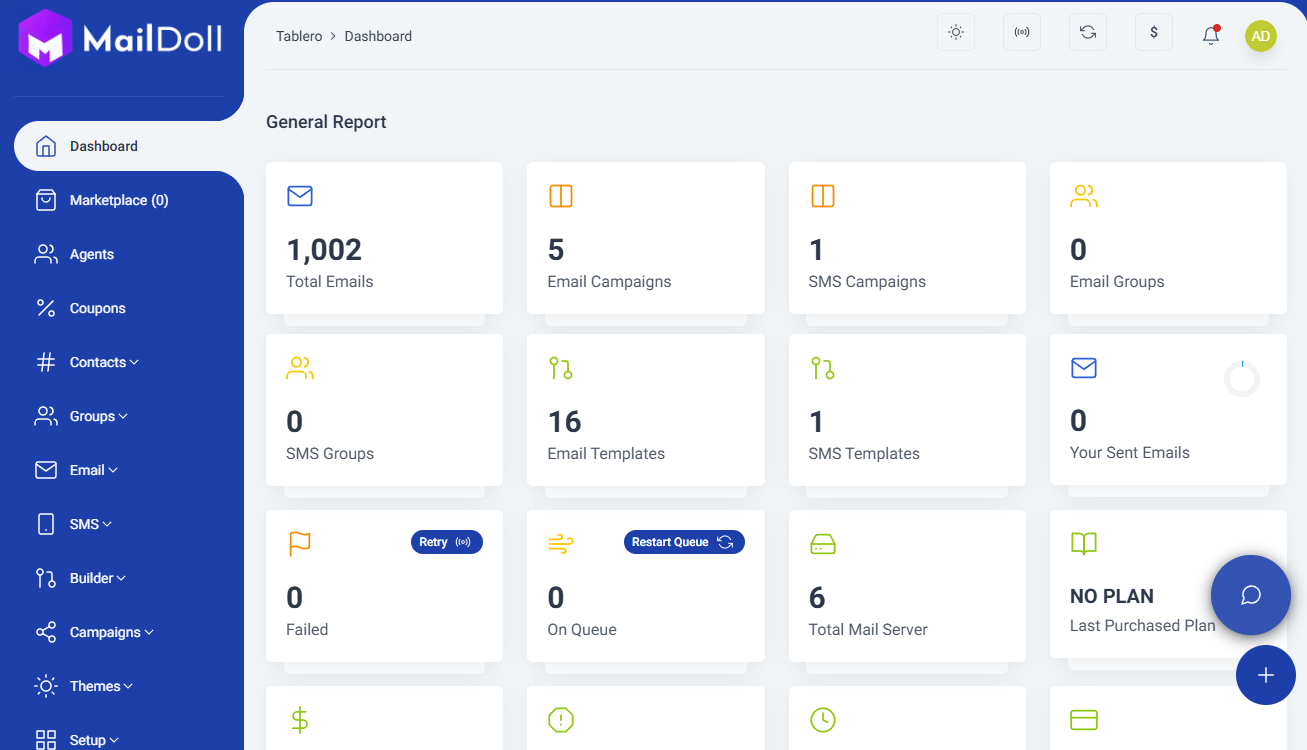
Maildoll is a self-hosted email and SMS marketing platform built for you to have full control over your campaigns without limitations. Unlike cloud-based email marketing tools that charge per contact or per email sent, Maildoll runs on a one-time payment model and lets you manage unlimited subscribers at zero ongoing cost.
Maildoll lets you send high volumes of emails or SMS without being locked into expensive SaaS subscriptions. Maildoll lets you combine email and SMS marketing to diversify your outreach strategies and engage your audience through multiple touchpoints to nurture leads and drive direct sales.
Maildoll Core Features
- AI-Powered Personalisation
Leverage artificial intelligence to analyse customer behaviour and preferences. Maildoll uses predictive analytics to recommend personalised content, subject lines, and send times tailored to each recipient.
- Behavioral Automation
Maildoll lets you automate campaigns based on user actions, like website visits, cart abandonment, or product purchases. Create dynamic workflows that respond in real-time to customer interactions, nurturing leads and driving conversions.
- Drag-and-Drop Campaign Builder
You can design stunning emails effortlessly with Maildoll’s intuitive drag-and-drop editor. Choose from professionally designed templates or create custom layouts without needing any coding skills.
- Advanced Segmentation
Segment your audience with precision using data like purchase history, engagement levels, demographics, and more. Deliver targeted messages that resonate deeply with specific groups within your subscriber base.
- Dynamic Content Blocks
Insert dynamic content blocks into your emails to display personalised offers, product recommendations, or location-specific messaging to boost relevance and engagement by showing each recipient exactly what they care about.
How to Set Up a Self-Hosted Email System (Step-by-Step)
Let’s talk about setting up your very own self-hosted email marketing system. Whether you’re tired of paying for overpriced SaaS tools or want full control over your data and campaigns, going self-hosted is a fantastic option.
Here’s how to go from zero to sending your first email without paying Mailchimp a dime.
Step 1: Choose the Right Email Marketing Software
First things first, pick the software you want to use. Since we’re talking self-hosted options, you’ve got some great choices like MailWizz, Mautic, Acelle, Listmonk, or Billionmail. Each has its strengths: If you want complete automation, go for Mautic.
If you need high-volume sending capabilities, go for Billionmail or Listmonk. But if you are looking for affordability and simplicity that you can host on a shared server, go with MailWizz, Acelle or Maildoll.
Once you’ve picked your tool, download the software files from its official website or GitHub repository.
Step 2: Decide on Hosting—VPS or Shared Hosting
Now comes the fun part: choosing where to host your email marketing system. You’ll need a reliable server because email deliverability is key here. Here are three solid hosting providers to consider:
If you’re comfortable managing servers, Contabo offers insanely affordable VPS plans starting at around $4.95/month. Their servers come pre-configured with Linux OS, which makes installing your email marketing software a breeze. Plus, they offer SSD storage and generous bandwidth limits, perfect for handling large email lists.
With just $4.95, you will get 3 vCPU Cores, 8 GB RAM, 150 GB SSD, 1 Snapshot and 32TB Bandwidth on Contabo. That's more than enough to get you started.
Not too keen on tinkering with server settings? Cloudways is a managed hosting provider that simplifies VPS management. It sits on top of big-name cloud providers like AWS, Google Cloud, and DigitalOcean, but with an intuitive interface. While slightly pricier than Contabo, it’s worth it if you want less hassle and more reliability.
For those just starting out or running smaller campaigns, shared hosting from Namecheap can work, but only if your email volume is modest. Shared hosting isn’t ideal for high-volume senders since resources are divided among multiple users.
You can also power your email marketing software with Namecheap VPS hosting, blazing speed, full control, and unbeatable value starting at just a few dollars a month. You can get 2 CPU cores, 2GB RAM, 40GB SSD RAID 10 and 1000GB bandwidth on Namecheap for just $6.88/month.
You can start with a small hosting plan and scale as your email list grows.
Step 3: Set Up Your Server Environment
Once you’ve chosen your hosting provider, it’s time to prep your server environment. This step will vary depending on whether you went with a VPS or shared hosting:
- For VPS (Contabo/Cloudways)
Log in to your server via SSH using tools like PuTTY (Windows) or Terminal (Mac/Linux). Install necessary components like Apache/Nginx (web server), MySQL/MariaDB (database), and PHP (scripting language). Many email marketing tools require these basics.
If you’re new to this, don’t panic! Most platforms provide detailed documentation or scripts to automate setup. For example, MailWizz includes an installer script that walks you through the process.
- For Shared Hosting (Namecheap)
Use cPanel or another control panel provided by your host to create a database and upload your software files via FTP (FileZilla works great for this). Follow the installation instructions specific to your chosen platform.
Step 4: Configure DNS Settings for Deliverability
Email deliverability is crucial if your emails must end up in inboxes and not in spam folders.
Set Up SPF, DKIM, and DMARC Records: These records verify that your domain is authorised to send emails. Head to your domain registrar (e.g., Namecheap) and add these DNS entries as instructed by your email marketing tool.
Use a Dedicated IP Address (Optional but Recommended): On Contabo, Namecheap, Cloudways or any other VPS hosting, you enjoy a dedicated IP address for better sender reputation. Shared hosting typically uses shared IPs, which may hurt deliverability if other users abuse them.
Warm Up Your Domain: If you’re new to email marketing, gradually increase your sending volume over weeks to build trust with ISPs (Internet Service Providers).
Step 5: Install and Customise Your Email Marketing Software
With your server ready and DNS configured, it’s time to install your software:
- Upload the software files to your server (via FTP for shared hosting or SCP for VPS).
- Run the installer script by navigating to your domain in a browser (e.g., http://yourdomain.com/install).
- Complete the setup wizard, connecting your database and configuring admin credentials.
After installation, customise the platform to suit your needs: Add branding elements if you’re white-labeling. Set up templates, automation workflows, and segmentation rules. Test everything thoroughly before launching your first campaign.
Step 6: Monitor Performance and Optimise
Congratulations, you’re live! But don’t stop there. Keep an eye on your analytics dashboard to track metrics like open rates, click-through rates, bounces, and unsubscribes. You can use this data to refine your strategy and improve future campaigns.
Tip: If you’re not comfortable setting this up yourself, you can hire me for a token to install the software for you. It's a one-time deal that is worth every penny spent.
Final Thought
Email marketing isn’t just about sending messages; it’s about building relationships, nurturing trust, and growing your business. But when you’re stuck paying for tools that feel more like a burden than a benefit, it’s hard to focus on what really matters: your audience.
Self-hosting your email might seem like a leap at first, but it’s an opportunity to save money, take control, and create a system that works for you, not the other way around. Sure, there’s a learning curve and upfront commitment, but it's worth it. You won't worry about subscriber limits, premium plan upgrades, or third-party restrictions. Instead, you’ll have a lean, cost-effective email setup that scales with your business and gives you full ownership over your campaigns.
You don’t have to keep paying monthly fees just to send emails. Self-hosted email marketing gives you the same deliverability, opens, and clicks as paid tools (or even better), without the strings, the costs, or the monthly subscription fee.
Ready to self-host your email marketing?



0 Comments