


Have you ever felt like your email marketing platform controls your business more than you do?
You spend months building your email list. You create lead magnets, nurture subscribers, and finally start seeing results. Then, one morning, you log in and see a message: your account is restricted, your sending is paused, or your monthly bill has just doubled because your list has crossed a new pricing tier.
Frustrating, right? I know that feeling firsthand. My account with Brevo (formerly Sendinblue) was suddenly flagged without a clear explanation. After several attempts to fix the issue, nothing changed. Campaigns stopped. Subscribers waited. And the platform that was supposed to help grow my business became a roadblock.
That experience prompted me to seek an alternative option. Like many marketers, bloggers, and small business owners, I switched to a self-hosted email marketing platform. With self-hosting, you control your data, your sending limits, and how your system runs. No surprise suspensions. No pricing shocks tied to list size.
However, choosing the right self-hosted email marketing platform isn’t as simple as installing software and pressing send. Some tools are powerful but complicated. Others are easy to use but lack key features.
In this post, you’ll learn how to choose the right self-hosted email marketing platform for your business, one that fits your budget, protects your email list, and helps you send campaigns without constant platform restrictions.
What is a Self-Hosted Email Marketing Platform?
A self-hosted email marketing platform is software you install and run on your own web hosting or server. Instead of relying on a company’s platform, you control the system that manages your email list and campaigns.
Think of it as owning a house rather than renting an apartment.
With hosted email tools like MailerLite or Kit (ConvertKit), you’re using someone else’s platform. They set the rules, control pricing, and decide how your account operates. If their policies change, your costs could increase, or your account could be restricted, which could interrupt your email campaigns.
A self-hosted email marketing platform works differently. You install the software on your server, keep full access to your subscriber data, and run campaigns on your own terms. Most setups connect to an email delivery service, such as Amazon Simple Email Service or Elastic Email, to handle message delivery.
Once everything is connected, you can manage your list, create campaigns, and send emails while maintaining full control over your system and your data. By self-hosting email marketing, you own the platform, you control the list, and you decide how your email marketing runs.
Pros and Cons of Self-Hosting Your Email Marketing
Self-hosting your email marketing isn’t that easy. It’s powerful, yes. But it’s not plug-and-play either. So, before you jump in, here’s a quick breakdown of the pros and cons of self-hosted email marketing software.
Pros
- You're the boss
No random account bans. There's no list size limit. You control your software, your emails, your subscribers and everything. It's your platform, and you dictate the rules.
- Way cheaper in the long run
Most self-hosted tools are either free or very cheap. If you pair it with a low-cost sender like Amazon SES, you will pay absolutely nothing to send thousands of emails each month.
- Full control over your data
You don't have to worry about what a third-party platform will do with your subscribers. Your data stays with you, locked down and safe.
- Customise all you want
If you need a weird automation, white-label your emails or add a custom opt-in flow. Self-hosted email marketing tools are like Lego; you can build whatever you want.
- You grow, but your bill doesn’t
Cloud-based tools usually charge based on your list size. With self-hosted email marketing platforms, you can grow to 10k, 50k, or even 100k subscribers, and still pay almost nothing besides your hosting cost.
Cons
- It takes some setup time
Let’s be honest, it’s not as simple as logging into Mailerlite and clicking “create campaign.” You’ll need to install the software, configure sending, and maybe tweak a few settings. (You don’t need to be a coder, but being a little tech-savvy will help.)
- You’re the support team
If something breaks, you can’t just hit up a live chat and expect a solution in 5 minutes. You’ll need to Google around, check community forums, or hire someone if you get stuck.
- Deliverability is in your hands
With great power comes great responsibility. You have to manage things like sender reputation, spam compliance, and bounce handling. If you mess it up, your emails could land in the SPAM folder.
- Hosting/server costs
You’ll need a server or web hosting that supports the platform. It’s usually cheap, but it’s still a cost and a task you’ll need to handle. You can get affordable and reliable hosting from Contabo, Namecheap, Hostinger, Verpex, IONOS or Kamatera
If you love control, want to save money, and don’t mind sacrificing a little time in the installation process, self-hosting your email marketing is 100% worth it.
Features to Look for in a Self-Hosted Email Marketing Platform
Not all self-hosted email marketing platforms are created equal. Some are sleek and powerful, while others are works in progress. So, before you download anything or buy anything, here’s what to look for, so you don’t waste hours setting up a flop.
- Easy-to-Use Dashboard
Unless you enjoy decoding cryptic menus, go for a platform with a clean, beginner-friendly interface. Look for drag-and-drop email builders and clear navigation. You don't have to be an expert to send a simple campaign.
- Email Automation That Doesn’t Suck
You’re not just sending newsletters. You want to build automation, welcome series, abandoned cart flows, lead nurturing sequences, birthday emails, and more. Consider the tool that supports flexible automation and triggers like time delays, clicks, or user behaviour.
- List Segmentation & Tagging
Good email marketing tools let you tag, segment, and personalise your emails based on user behaviour, interests, or signup source. Segmenting and personalising your email alone can increase your open and click rates.
- Solid Reporting & Analytics
In email marketing, if you can't measure it, you can't improve it. Go for a platform that lets you track open rates, click-throughs, bounce rates, and unsubscribes. Some platforms even support heatmaps.
- SMTP Integration
Check if the platform supports multiple SMTP integrations with a painless process. Most self-hosted email marketing software won’t send emails on its own. You’ll need an SMTP provider like Amazon SES, Mailgun, or Postmark.
- Integrations With Your Existing Tools
Your email marketing tool should work with your existing tech stack, or at least support webhooks and APIs. If you use WordPress, sell through WooCommerce or Shopify, or build forms with Elementor, you need a tool that integrates with your existing tools.
- Developer Support or Active Community
Even if you’re not a coder, having an active user community, GitHub updates, or solid documentation means you’re not alone when something goes sideways.
- Affordability That Scales
You must go with an email tool that can handle a growing list without wrecking your wallet. Consider the licensing fees, upgrade paths, and server requirements before you choose.
Best Self-Hosted Email Marketing Platforms
So you’ve decided to move away from expensive SaaS email tools and take control of your own email system.
The next question is: Which self-hosted email marketing platform should you choose?
Some platforms are beginner-friendly and easy to install. Others offer deeper customisation for developers and advanced marketers. A few are lightweight and focused on sending campaigns quickly, while others include automation, segmentation, analytics, and advanced campaign management.
Below are some of the best self-hosted email marketing platforms you can use to run campaigns and manage subscribers without relying entirely on third-party services. Some of these tools are open-source and free to install, while others require a one-time license fee but provide powerful features and long-term cost savings.
MailWizz is a powerful, affordable, and built-to-scale email marketing software that costs a one-time fee of $86
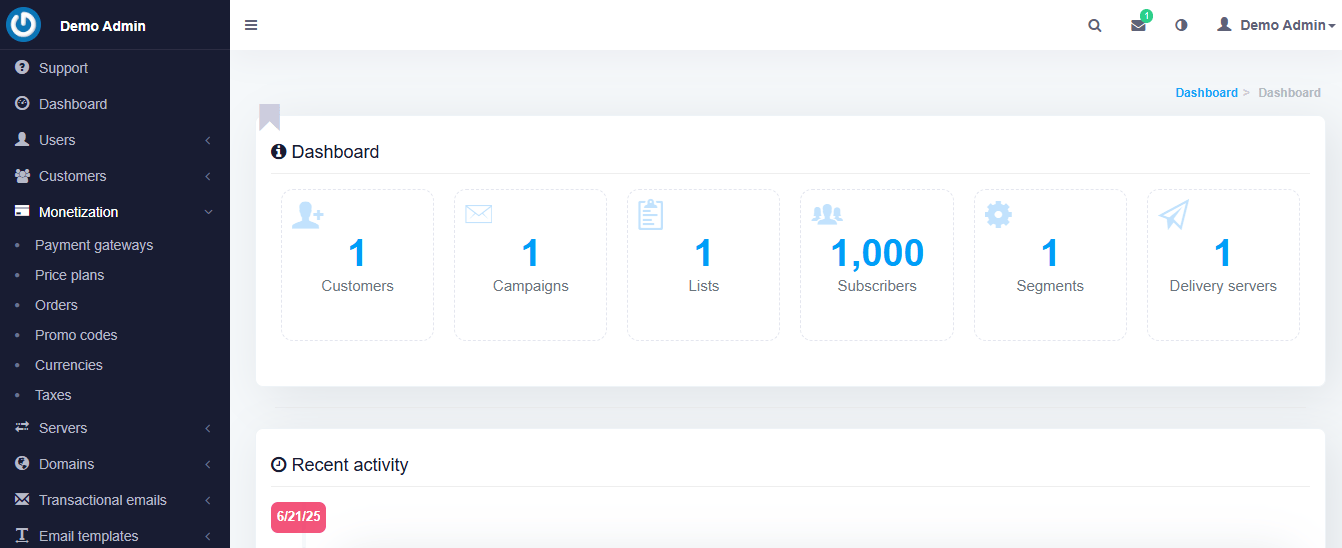
If you want the right self-hosted email marketing platform that feels like a premium SaaS without the monthly subscription drama, MailWizz is a better choice. It’s not free, but it’s a one-time payment, and what you get in return is a full-blown, enterprise-level email marketing system you can install on your own server.
MailWizz is ideal for small businesses, agencies, or even marketers who want to resell email marketing services to clients. It's like running your own version of Mailchimp but with complete control and no one spying on your data.
The dashboard is clean, beginner-friendly, and packed with features like autoresponders, list segmentation, A/B testing, and automation workflows. And because it’s PHP-based, it works on most shared hosting plans.
There are no subscription fees. No feature lockouts. Just a rock-solid tool that grows with you.
Key Features of MailWizz
- Drag-and-drop email builder
- Advanced autoresponders & automation
- List segmentation and tagging
- Multiple SMTP integrations
- Bounce, complaint, and unsubscribe handling
- A/B testing
- API access and third-party integrations
- Multi-user support with access control
- White-label-ready
- Campaign scheduling and throttling options
Pricing: One-time payment of $86 for a regular license
Mautic is the best open-source email marketing and automation platform in the world. It's well-maintained by a community of experts, and completely free.
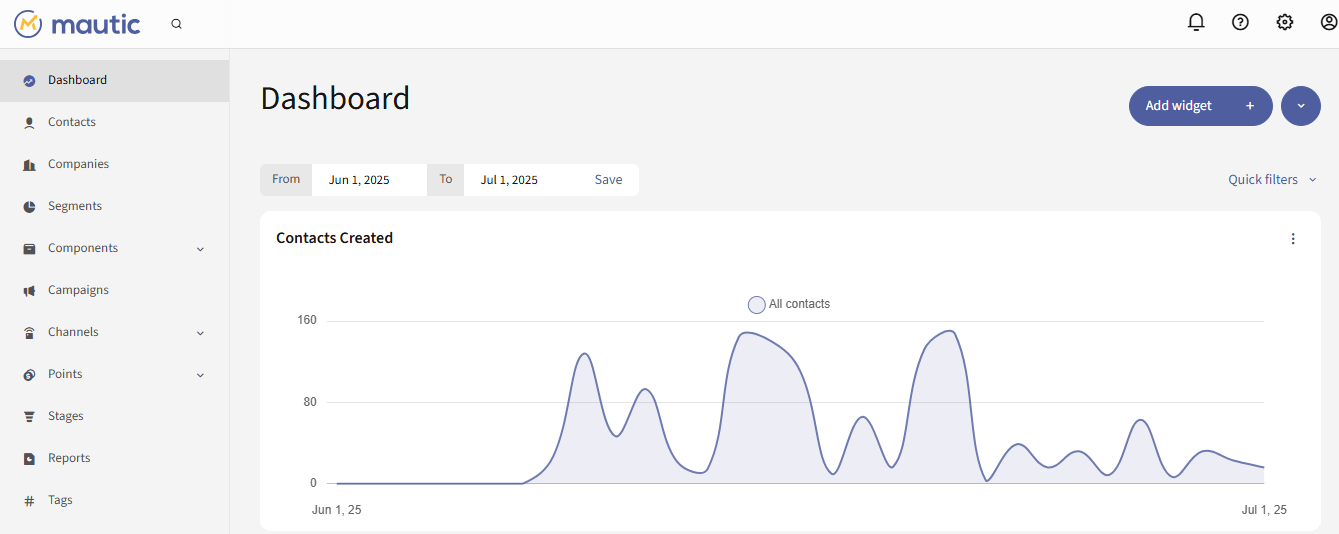
If you want complete freedom without spending a dime on licensing, Mautic is one of the best open-source email marketing platforms you can self-host today. It’s powerful, flexible, and built for serious marketers who need more than just “send and pray” email campaigns.
Mautic goes beyond basic campaigns. It’s a full-blown marketing automation software with email sequences, behaviour tracking, dynamic content, custom landing pages, and CRM-like contact management all rolled into one dashboard. And it’s 100% free and open-source.
The only downside is that it’s not the easiest to set up. Mautic can be a little heavy if you’re not tech-savvy, and it works best when installed on a proper VPS or cloud server. But if you can get past the initial setup, it gives you enterprise-grade tools with zero monthly bills.
Key Features of Mautic:
- Visual campaign automation builder
- Contact segmentation
- Contact tagging
- Lead scoring and tracking
- Dynamic content
- personalised emails & landing pages
- Built-in forms
- landing page builder
- Email scheduling
- A/B testing
- Web activity and behaviour tracking
- Integration with SMTP, APIs, and CRMs
- Multi-channel marketing (email, SMS, social)
- REST API for custom extensions
Pricing: Completely open-source and free to use
Relayzo is a simple, speedy, and self-hosted, straight out of the box email marketing software that costs a lifetime fee of $36
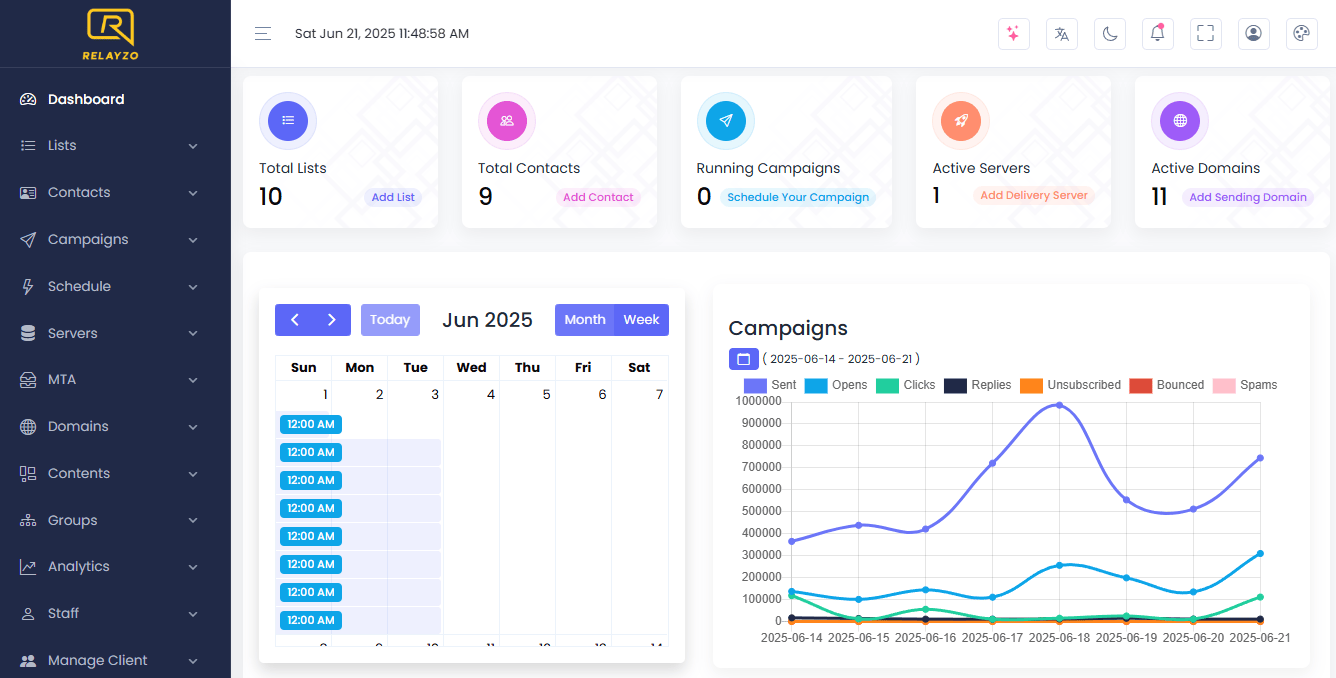
If you want a robust self-hosted email marketing platform that balances simplicity with essential features, Relayzo deserves a serious look.
Built on Laravel and sold as a one-time license on CodeCanyon, Relayzo comes with a clean UI, an intuitive campaign builder, and just enough marketing automation to keep your list warm without overwhelming you with bloat.
It’s an ideal platform for solo marketers, small businesses, or agencies that want to run multiple brands or clients under one roof. You can set up SMTPs, manage separate lists, track campaigns, and handle bounce reports, all from your own server. Plus, it supports multi-user access, so you can even white-label it for your clients.
Relayzo will help you send smarter emails without monthly bills or a steep learning curve.
Key Features of Relayzo:
- One-time payment, lifetime update
- Built for stability and performance
- Subscriber list management
- Email campaign builder with scheduling
- Multi-SMTP support
- Detailed campaign reports
- Bounce, spam, and unsubscribe handling
- Multi-user & client account system
- Lightweight and easy to install
- White-label ready
Pricing: $37 one-time payment for a regular license
Swift Send is a clean interface, core power, and no recurring fees, self-hosted email marketing software that costs only $49.
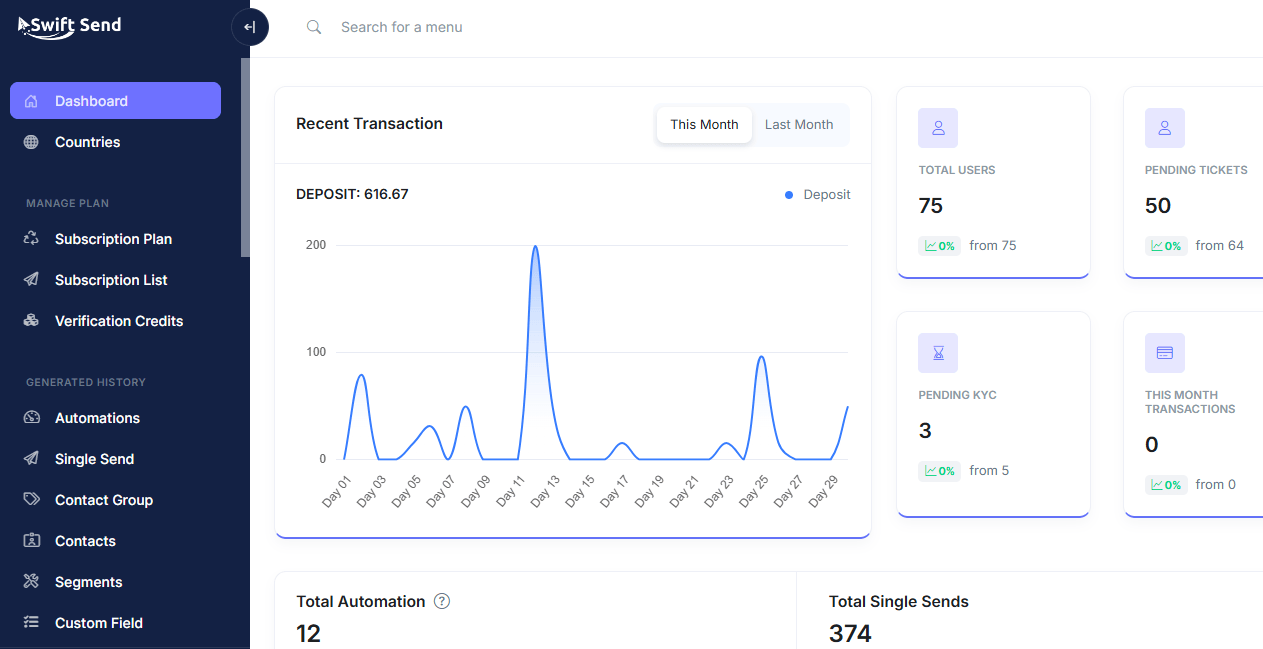
Swift Send is one of those self-hosted tools that doesn’t try to overcomplicate things. It keeps the focus on what matters, getting your emails delivered without costing you a fortune every month. Built for marketers who want just enough firepower without being bombarded by bloated dashboards, Swift Send delivers a smooth ride from setup to send.
Swift Send UI is refreshingly clean and beginner-friendly, even if you’ve never used a self-hosted email system before. You can manage subscriber lists, schedule campaigns, track opens and clicks, and integrate multiple SMTPs in just a few clicks. It also supports SMS, so that you can reach your client on a mobile phone.
It’s also perfect for anyone running email campaigns for clients or multiple brands, thanks to its multi-user and white-label capabilities. And since it’s a one-time purchase, you’ll never have to worry about those sneaky monthly charges creeping up as your list grows.
Key Features of Swift Send:
- Campaign builder and scheduling
- List management
- Multi-SMTP support
- Real-time analytics
- Bounce and complaint handling
- Multi-user system with role-based access
- White-label options for client work
- Automation
- Email Validation
- Email Checker
- Suppression List
- SMS Gateway
Pricing: $49 one-time payment for a regular license.
Listmonk is a fast, open-source, self-hosted email marketing software built for bulk sending.
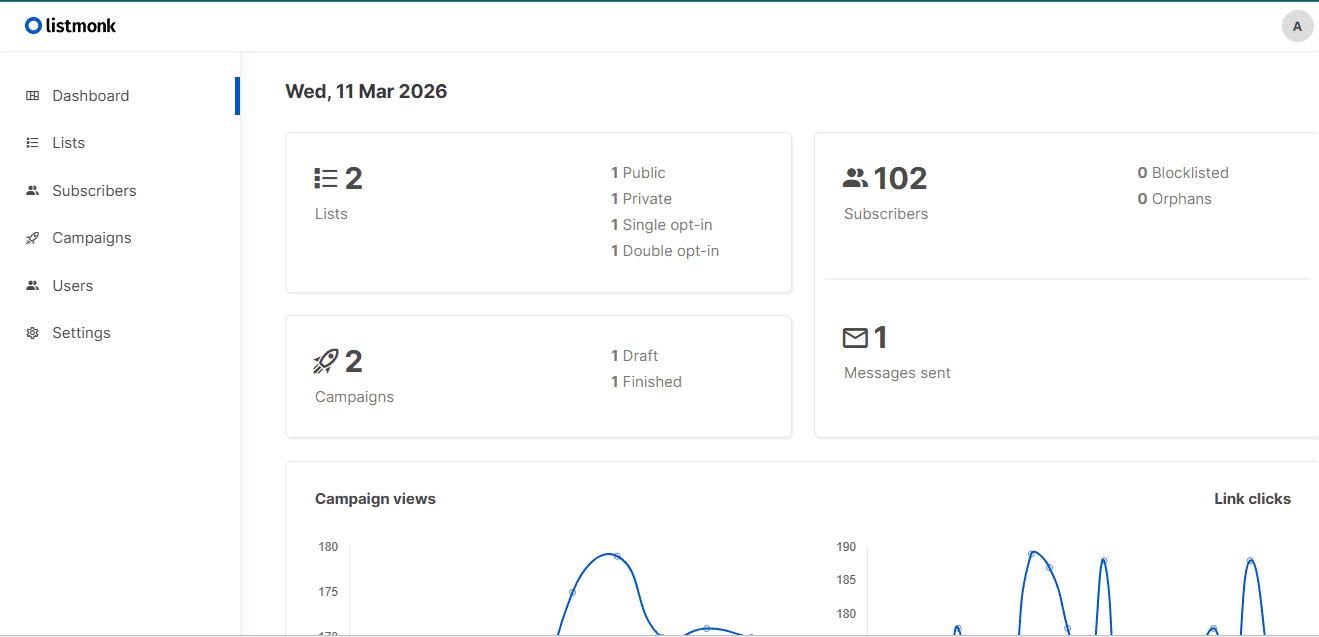
If speed and simplicity are top of your wishlist, Listmonk is an absolute beast. It’s a free, open-source, self-hosted email marketing platform that’s lightning-fast, privacy-friendly, and made for sending emails at scale without limit.
Built using Go, it is perfect for businesses and creators who want to manage massive lists, fire off campaigns quickly, and keep total control of their data. It’s not overloaded with features, but what it does, it does extremely well.
Listmonk's interface is slick and responsive, with a solid campaign builder, audience segmentation, SMTP integration, and basic analytics. It’s ideal for developers, tech-savvy marketers, or teams that want raw performance.
Key Features of Listmonk:
- Free and open-source
- Ultra-fast performance (built in Go)
- List management with segmentation
- HTML and plain text email support
- SMTP integration for custom delivery
- Campaign scheduling and preview
- Real-time reporting and basic analytics
- API access for external apps
- CLI-based setup and management
- Self-hosted
Pricing: Completely open-source and free to use.
For a one-time fee of $199, you can effortlessly design stunning campaigns, track performance with detailed analytics, and grow your audience from your WordPress dashboard with Mailster.
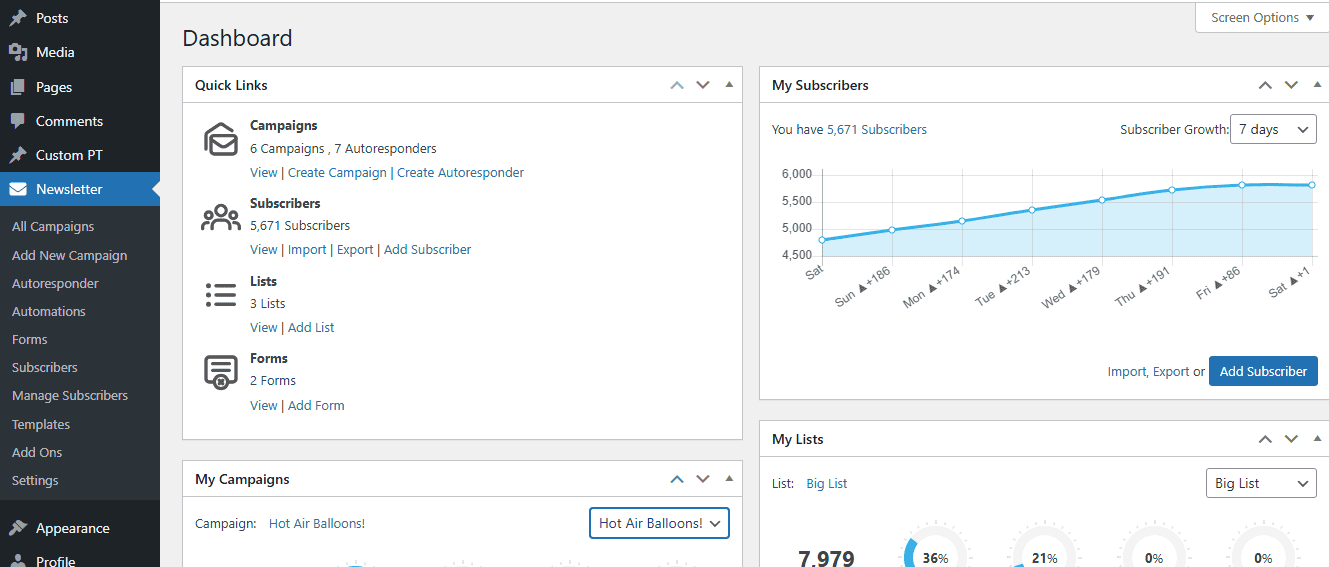
If you’re already using a WordPress site and want to run your self-hosted email marketing right there, with no external tools or monthly SaaS fees, Mailster is the plugin that makes that happen. Instead of hopping between platforms, you get everything inside your WordPress dashboard: email creation, list management, automation, and analytics.
Mailster comes with a one-time license, and after that, all your emails, subscribers, and forms are unlimited. It's your data, your setup, and your rules. They offer 400+ mobile-ready templates, a drag-and-drop editor, and integrations with WooCommerce, WPForms, Gravity Forms, SMTP services, and more.
Mailster also supports automation, welcome series, RSS-to-email, birthday or follow-up emails, and timezone-based sending. You will also enjoy real-time analytics, detailed tracking of opens, clicks, bounces, and built-in GDPR compliance.
Key Features of Mailster:
- Forms
- Drip Campaigns.
- RSS email campaigns.
- Access to email campaign precheck.
- Integration with plugins.
- CSV Import.
- Multiple SMTP Integration.
- Time zone-based delivery.
- Merge Tags.
- Advanced Segmentation.
- Newsletter Campaign Insights.
- Auto Responders
- Email marketing automation.
Pricing: One-time payment of $199 for a single website
FluentCRM lets you manage contacts, craft personalised email campaigns, and boost sales with automated funnels, all while growing your business without ever leaving WordPress.
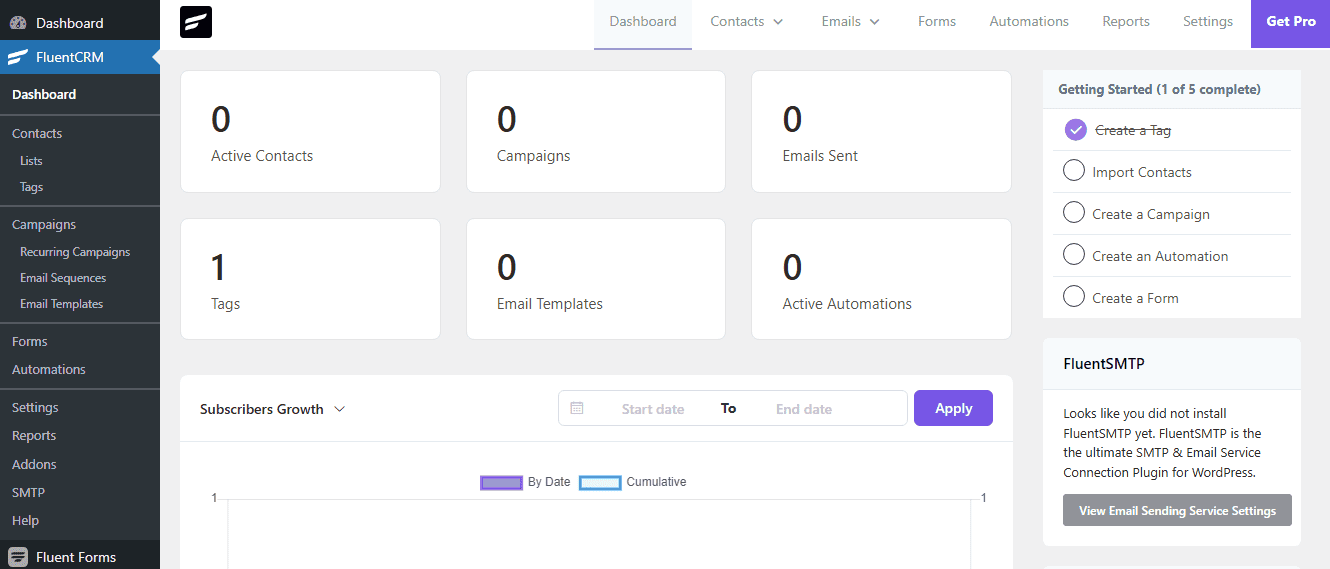
If you’re all-in on WordPress and want serious marketing automation without ever leaving your dashboard, you can't ignore FluentCRM. It’s a full-blown self-hosted email marketing platform that lives inside WordPress, with no third-party service.
FluentCRM is more than just a newsletter plugin. With FluentCRM, you will enjoy contact management, email sequences, behaviour tracking, segmentation, and deep integrations with tools like WooCommerce, LearnDash, AffiliateWP, and more.
Its automation builder is visual, clean, and powerful; you can set up onboarding flows, cart abandonment emails, post-purchase follow-ups, and more. It’s ideal for bloggers, course creators, affiliate marketers, or anyone who wants to tie their email marketing tightly to what’s happening on their WordPress site.
Key Features of FluentCRM:
- Full CRM
- Advanced Segmentation
- Integrated Forms
- Unlimited Email Campaigns
- 35+ Free Integrations
- Visual email automation builder
- Email sequencing
- Deep integrations
- Behaviour-based triggers
- Conditional workflows
- SMTP integration with any provider
- Detailed campaign analytics
- REST API for developers
Pricing: Free with Pro plan starting at $77 per year.
Acelle is a feature-rich and budget-friendly self-hosted email marketing software for just a one-time payment of $69
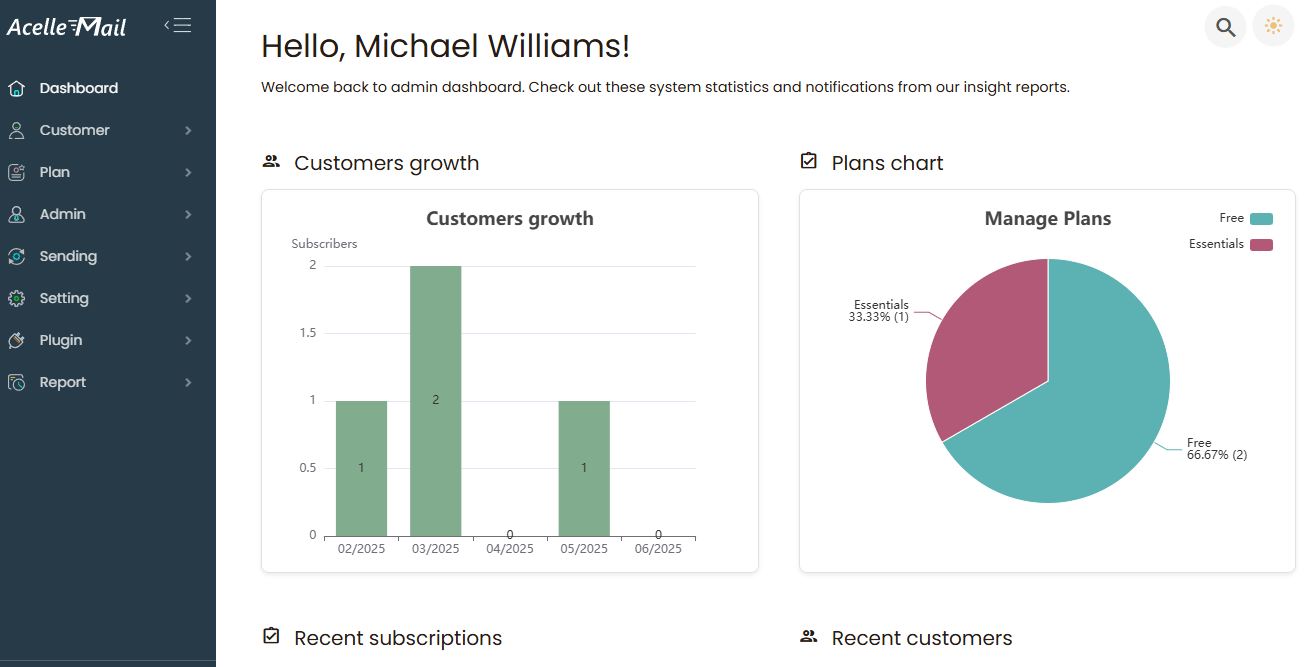
Acelle is a robust self-hosted email platform with cutting-edge features that beat most paid SaaS platforms. With a one-time license fee and a modern interface, Acelle will give you all the essential tools to launch, track, and scale your email campaigns without stress.
With Acelle, you get visual automation, smart list management, real-time tracking, and support for multiple SMTP providers like Amazon SES, Bird, or your own SMTP server.
Plus, it’s got built-in features for client accounts, recurring email scheduling, bounce management, and full API support, making it a perfect tool for agencies that want to resell or manage campaigns for others under one roof.
Acelle is a smart investment if you want solid features without all the complexity.
Key Features of Acelle Mail:
Pricing: One-time payment of $69 for a regular license.
- Drag-and-drop email builder
- List segmentation and tagging
- Marketing automation
- SMTP integration
- Bounce, and complaint
- Recurring campaign support
- Multi-user and client account support
- API access for external integrations
- Real-time campaign analytics
- White-label ready for resellers
- Autoresponders
- Feedback loop handling
Final Thoughts
Running a self-hosted email marketing platform requires some technical setup at the beginning. You’ll need web hosting, an SMTP service, and a few configuration steps to get everything running smoothly.
But once the system is in place, the benefits are hard to ignore. You gain full control of your email list. Your costs remain predictable. And you don’t have to worry about sudden account restrictions or price increases just because your subscriber count grows.
Whether you're a solo blogger, a growing startup, or a digital agency managing multiple clients, there’s a self-hosted email marketing platform that can fit your workflow, skill level, and budget.
Before making a decision, ask yourself a simple question:
👉 Do you want to keep paying monthly fees for software you don’t control?
👉 Or would you rather build an email system you truly own?
If the second option sounds better, self-hosting may be one of the smartest moves you make this year. Choose a platform, set it up, and start sending campaigns on your own terms.
If you need help choosing or setting up any of the platforms mentioned above, feel free to leave a comment or reach out. I’d be happy to help.




0 Comments